How to play Last One Standing
Every move captures — the capturing piece takes the captured piece’s square. Keep going until only one piece is left. Also known as Capture solitaire.
The rules
- Every move must capture exactly one piece. The capturing piece moves onto the captured piece’s square and the captured piece is removed.
- A piece can only capture along its own moves. Sliding pieces stop at the first piece in their way — that is the piece they may capture. Jumping pieces ignore what is in between.
- Blocked squares can’t be entered or passed. Missing squares aren’t part of the board.
- You win when the target number of pieces is left (usually one) and any survivor rule is met: a starred piece must survive, or the survivor must finish on the flagged ⚑ square.
- Some puzzles limit captures (the number badge shows how many a piece has left), or use the copycat rule: after capturing, a piece moves like the piece it took.
Playing Last One Standing on Puzzle Solvers
- Choose a puzzle set and press New Puzzle. The pieces in play, and how each one moves, are listed under the board.
- Tap a piece to see what it can capture (the targets glow), then tap a target — or drag the piece onto it. Every move must capture.
- Keep going until only one piece is left (some puzzles want two, a particular survivor, or a finish square ⚑).
- Stuck? Hint works in five stages, from “look at this piece” to making the move. Use the replay buttons to watch your moves, the intended solution, another solution or a different survivor.
Using the Last One Standing solver
- Choose rows and columns. Place pieces with the type buttons; move, copy, retype, star a required survivor, flag a finish square, or give a piece its own capture limit.
- Add blocked or missing squares and special squares: portals, one-way, turning squares, change squares, +1 / −1 captures, freeze, safe and hazard.
- Design your own piece in Custom piece type: tap squares round the centre to give it moves, pick step, jump, slide, exact distance or range, and save it.
- Set survivors, who may capture whom, what happens after a capture, capture limits and the solution policy. Then Validate, Find one solution, Count, Analyse — or Generate one from your settings.
A worked example
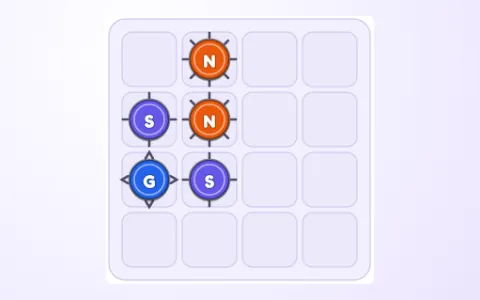
A Glider, a Stepper and a Leaper. The Stepper sits next to the Glider; the Leaper is an L-jump from the Stepper’s square.
If the Glider captures the Stepper, the Glider lands on the Stepper’s square — and now the Leaper can jump onto it. One piece left: solved. Capturing the other way round would leave two pieces that can’t reach each other.
Strategies
- Save the movers. Long-range pieces (Gliders, Comets) can reach almost anything — keep one for the end.
- Clear the loners first. A piece that only one other piece can reach must be captured by that piece — do it before the route is blocked.
- Count the captures. With N pieces you need N − 1 captures. If pieces have capture limits, check that enough captures are left.
- Work backwards. Ask which piece could be the last one standing, and which capture would leave it alone.
- Watch for islands. Two groups of pieces that can never reach each other mean a dead end — undo before it happens.
Common mistakes
- Making easy captures early and leaving a piece stranded where nothing can reach it.
- Forgetting that a sliding piece must stop at the first piece in its way.
Where it comes from
Capture puzzles where every move takes a piece and one must remain have been popular in puzzle books and apps. Last One Standing was made for this site with its own piece types (no chess pieces), a reverse generator and a full creator.
Frequently asked questions
Is every puzzle solvable?
Yes. Each puzzle is built backwards from the survivor and replayed forwards to check it. Many puzzles have more than one solution — any of them counts.
What do the hints do?
Five stages: a piece worth looking at, how many captures it has, a move that leads to a dead end, a move that belongs to a solution, and finally making that move. If you are already stuck, the hint takes you back to the last position that can still be finished.
Can I make my own pieces?
Yes — in the Creator, tap squares round the centre of the movement grid to give a piece its moves, choose how it moves (step, jump, slide, exact or range), name it and save it.
Keep going
- Play Last One Standinga fresh puzzle every time
- Peg JumpJump pegs over each other into empty holes, removing the jumped pegs, until…
- Knight's TourMove the knight in its L-shaped jump to reach the targets — or visit every…
- Traffic JamSlide cars and trucks along their own lanes until the red car can drive out…
All guides: How to play every puzzle and game.